
Adobe Acrobat Studio in Mauritius: Smarter PDFs, AI Assistance and E‑Signatures with WOHO
4 February, 2026
If your teams spend their days reading contracts, reviewing proposals, filling in forms or chasing signatures, traditional PDF tools can feel slow and manual.
Adobe Acrobat Studio is Adobe’s new, modern plan that brings together powerful PDF features, AI assistance and creative tools in one subscription – and you can now order it in Mauritius through WOHO.
In this article, you’ll see what’s new in Acrobat Studio, how it helps your organisation work faster and more securely, and why it makes sense to obtain it through WOHO in Mauritius.
What is Adobe Acrobat Studio?
Adobe Acrobat Studio is an all‑in‑one subscription that combines:
- The full power of Adobe Acrobat for creating, editing and protecting PDFs
- An AI Assistant that can read and summarise your documents, answer questions and help you work with content
- New PDF Spaces to organise related files and links into shareable workspaces
- Access to Adobe Express Premium to create professional‑looking content from your documents
- Built‑in e‑signature and document security tools
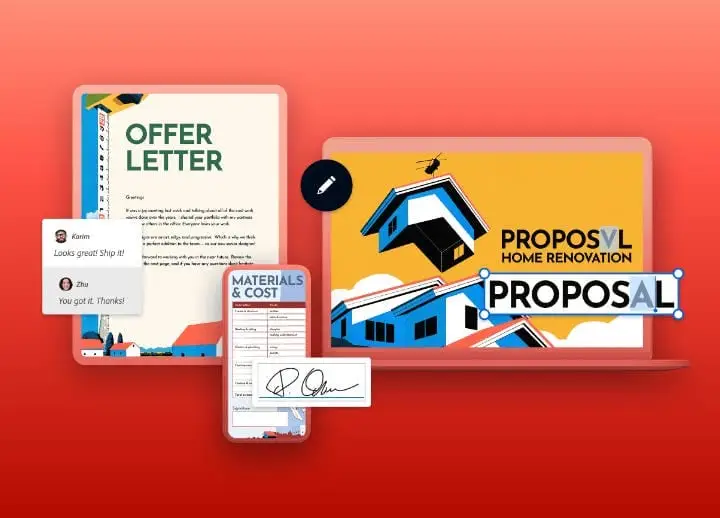
Instead of juggling several tools, Acrobat Studio gives your teams a single environment to read, edit, sign and repurpose documents across desktop, web and mobile.
Adobe currently lists Acrobat Studio from around $24.99 per month on an annual plan (pricing may vary by region and over time). When you work with WOHO, we confirm local pricing and billing options for your organisation in Mauritius.
What’s new compared with traditional Acrobat plans?
If you already use Acrobat or Acrobat Pro, Acrobat Studio brings several important upgrades.
1. AI Assistant for faster understanding and drafting
The new AI Assistant can:
- Summarise long reports, contracts or policies into clear bullet points
- Answer questions like “What are the key obligations in this agreement?” or “What’s the payment schedule?”
- Help you draft emails, cover notes or checklists based on the content of a PDF
Instead of reading 40 pages line by line, your teams can get to the key points in minutes – with clear citations back to the original document.
2. PDF Spaces for organised, collaborative work
With PDF Spaces, you can group related content into interactive workspaces:
- Bundle PDFs, Microsoft 365 files and relevant web links in one place
- Share a single space with colleagues instead of sending many separate attachments
- Keep track of which documents belong to a project, case or client
This is ideal for projects such as tenders, audits, legal cases or customer files where many documents need to be reviewed together.
3. Adobe Express Premium included
Acrobat Studio includes access to Adobe Express Premium, so you can quickly turn PDFs into:
- Branded one‑pagers and brochures
- Simple infographics and visuals
- Social media posts and banners
Your teams don’t need specialist design tools – staff can create on‑brand, professional‑looking content from templates, directly from their Acrobat environment.
4. Modern e‑signatures and security
Acrobat Studio also strengthens how you handle approvals and sensitive data:
- Request and track e‑signatures on important documents
- Protect PDFs from unauthorised copying, editing or printing
- Keep an auditable trail of who signed what and when
For Mauritian organisations working under regulatory or audit pressure, this helps keep document workflows compliant and traceable.
How Adobe Acrobat Studio helps your organisation
Faster document review and decision‑making
With AI‑powered summaries and Q&A, teams can:
- Scan the key points of a contract or report before diving into detail
- Compare requirements across several documents more quickly
- Pull out risks, deadlines and next steps without missing important clauses
This is particularly useful for management, legal, finance and procurement teams who handle large volumes of documentation.
Smoother collaboration between teams
PDF Spaces and cloud‑based access mean your staff can:
- Work together on the same set of documents, wherever they are based
- Keep everyone aligned on the latest version of a file
- Avoid the confusion of long email threads and multiple attachments
Remote and hybrid teams across Mauritius can stay coordinated around a single source of truth.
More professional, on‑brand communication
With Adobe Express integrated into Acrobat Studio, your teams can:
- Turn proposals, event agendas or product sheets into polished PDFs and visuals
- Create consistent, branded assets without heavy design work
- Prepare social media creatives or internal communication materials straight from existing content
Stronger security and compliance
For organisations in regulated sectors (finance, professional services, healthcare, public sector), Acrobat Studio helps you:
- Control who can view, copy or print sensitive PDFs
- Maintain a reliable audit trail of approvals and signatures
- Reduce the risk of data leaks caused by emailing uncontrolled attachments
Why get Adobe Acrobat Studio through WOHO in Mauritius?
Partnering with WOHO to obtain Acrobat Studio in Mauritius gives you more than just licences.
Local advice on the right plan
We help you:
- Understand the differences between Acrobat Studio and other Adobe plans
- Size the subscription correctly for your teams
- Clarify budget, billing options and any promo offers available locally
Smooth deployment and integration
WOHO can support you in:
- Setting up Acrobat Studio across your users and devices
- Integrating it with tools you already use, such as Microsoft 365 and cloud storage
- Applying sensible security settings and policies from day one
Training and adoption support
To make sure you get full value from Acrobat Studio, we can:
- Run short onboarding sessions or demos for your teams
- Share best practices for AI Assistant, PDF Spaces and e‑signatures
- Help you design more efficient document workflows for your business
Ongoing local support
With WOHO as your partner in Mauritius, you have a local point of contact for:
- Questions about licensing or renewals
- User changes and additions
- Practical advice on how to use Acrobat Studio in new parts of the business
Is Adobe Acrobat Studio right for your organisation?
Acrobat Studio is a strong fit if:
- You work heavily with contracts, proposals, reports or policies
- Multiple teams need to collaborate on the same documents
- You want faster reviews, clearer approvals and fewer version‑control issues
- You’re looking to modernise how you use PDFs without adding complexity
If your needs are very basic (for example, just viewing PDFs occasionally), a simpler solution might be enough. But for most growing organisations in Mauritius, Acrobat Studio offers a modern, AI‑assisted way to manage documents more professionally.
How to get started with Adobe Acrobat Studio via WOHO
- Discuss your needs – Talk to WOHO about how your teams currently work with documents, signatures and approvals.
- Choose the right subscription – We’ll recommend the most suitable Acrobat Studio configuration for your organisation in Mauritius.
- Plan deployment and training – Agree a rollout plan, including any onboarding or training support you’d like for your staff.
- Go live and optimise – Start using Acrobat Studio in your day‑to‑day workflows, then refine how you use AI Assistant, PDF Spaces and e‑signatures over time.
When you’re ready, you can order Adobe Acrobat Studio through WOHO and get local guidance, billing and support in one place.Adobe Acrobat Studio